Launcher 1.28 and G-Hub 1.13 are out. This update adds daily racing to the launcher and live timing to G-Hub. You can also pick your paintjob before you join a server, the server list is ready sooner, and sign-in is more reliable.
The launcher updates itself. Open it and it installs 1.28. If you don’t have it yet, get it on the launcher page.
Race every day, right from the launcher
There is a daily race on the EU server and one on the US server. You run it all from Drive › Daily racing:
- Vote on the start time and the car. Your vote counts together with the polls on our Discord.
- Join the race with one click, and leave if you can’t make it.
- Bet 50 to 500 G-coins if you want to race for the pot.
Start times are shown in your own time zone, so you don’t have to convert them. The race cards update by themselves, so you see the latest votes, sign-ups and results without restarting the launcher. Your XP and G-coins update too.
New to daily racing? How daily racing works explains voting, joining, betting and rewards step by step.
Live timing in G-Hub
During a daily race, the G-Hub leaderboard widget turns into a live timing screen. You see every position, the sector times and the lap each driver is on, so you know where you stand without leaving the car. The screen is twice as big as before and fits the whole grid.
Update G-Hub to 1.13 in the launcher to get it.
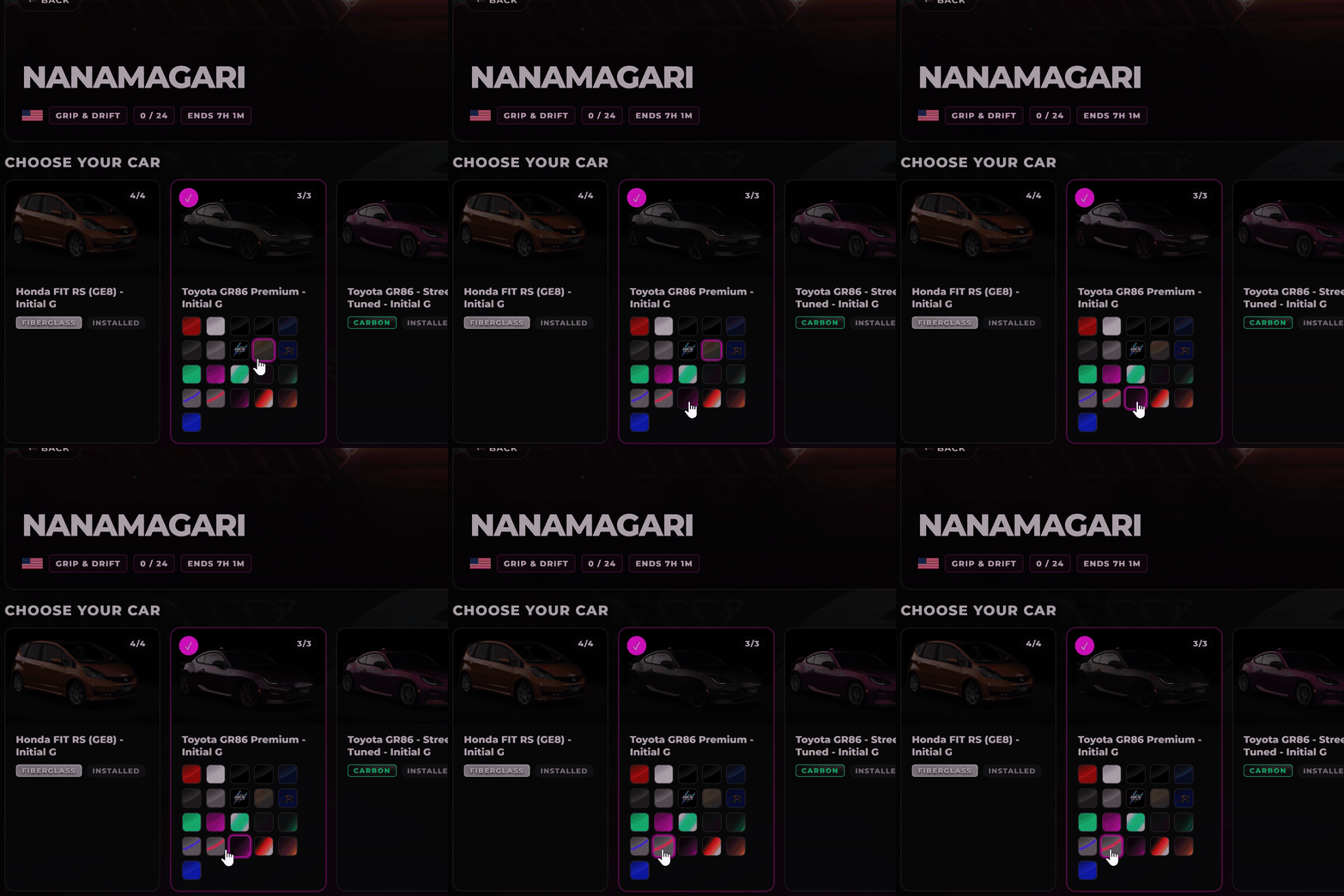
Pick your paintjob when you join
When you join a server, the launcher shows the paintjobs for your car as preview pictures. Click the one you like, and you drive in it.
Servers are ready sooner
The launcher checks your content in the background as soon as it starts. By the time you open Servers, most servers already show whether you can join. It only checks the cars and track each server needs, so it stays fast even with a big car library.
If something is missing, hover over Install Content. It lists the exact cars and tracks you still need.
Only cars you can drive
The car picker no longer lists the AI traffic cars on traffic servers. You only see the cars you can take on track.
Wheel and pedal bindings that work
When you switch from a controller to a wheel, the launcher saves the change at once and shows the bindings for your wheel. You can now assign pedals and wheel buttons without problems.
Sign-in that doesn’t get stuck
Some of you got stuck on Finish signing in with your browser, even though the website had signed you in. This is fixed. If sign-in still fails, the launcher tells you why instead of waiting forever.
One launcher, one tray icon
If the launcher is already running in the tray, starting it again opens that window instead of a second copy.
Never miss an update
The launcher checks for a new version every hour, so you get fixes and new features as soon as they are out, without restarting it.
See you on the grid. If something doesn’t work, tell us on Discord.